Native Pakon colour
The OEM colour engine, rebuilt and frame-matched.
 PakonScan
Buy
PakonScan
Buy
Pakon F‑135 · F‑135 Plus — native on macOS
PakonScan drives your Pakon film scanner over USB on modern macOS — no Windows XP, no virtual machines. The minilab's original colour science, recovered and rebuilt for Apple Silicon.
Free trial — 10 rolls of Lab · macOS 14+ · no subscription
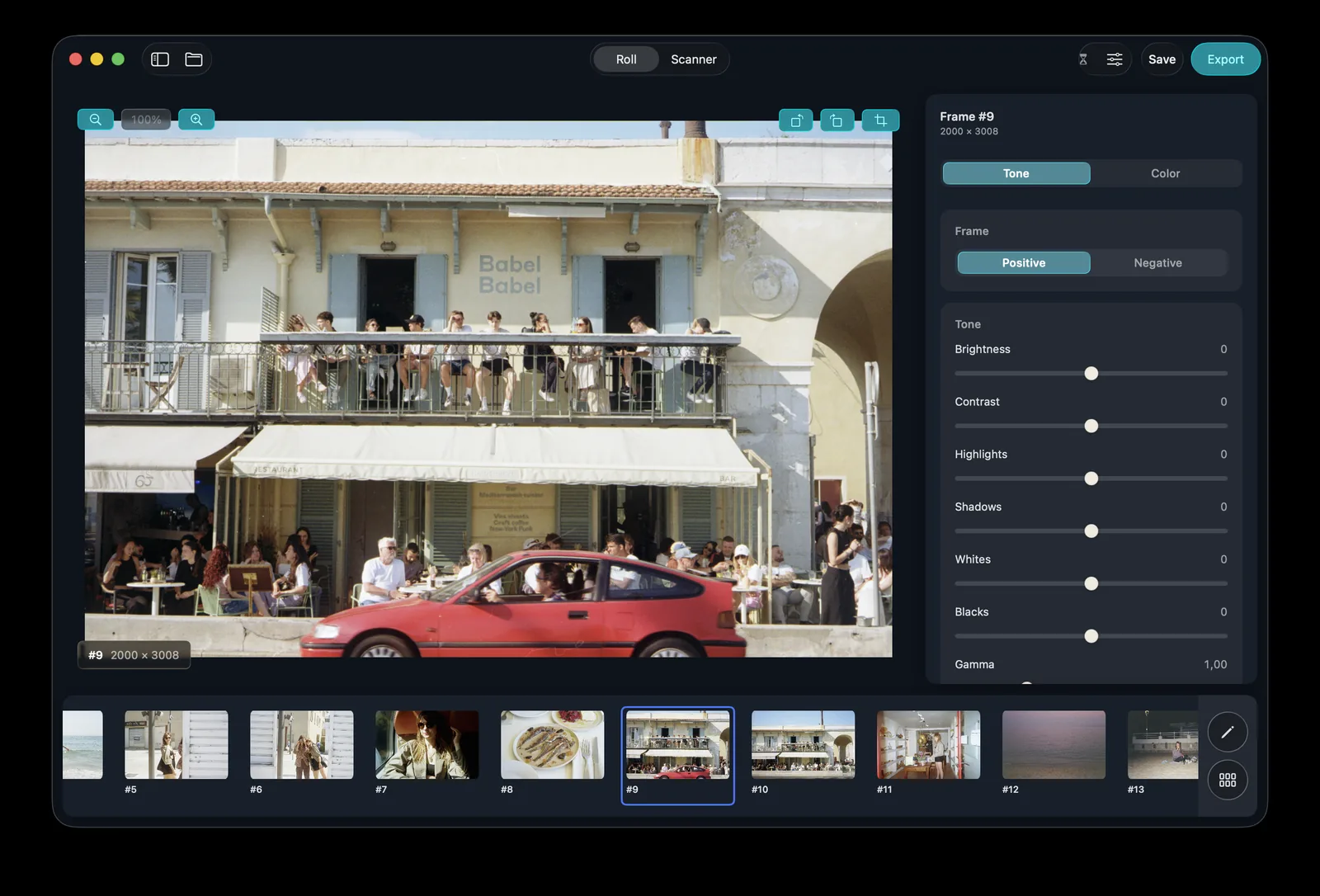
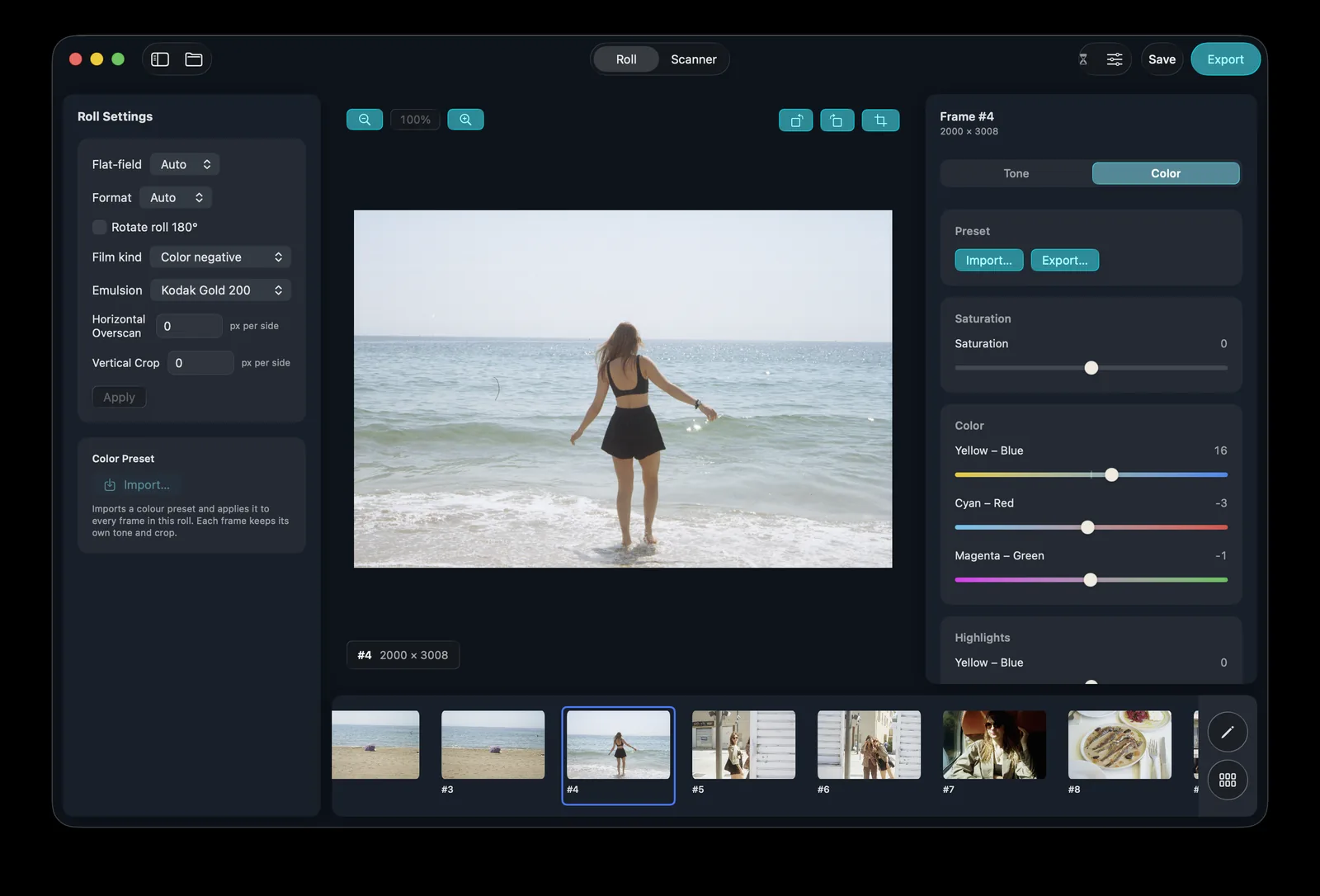
Colour
PakonScan rebuilds the original Pakon colour engine — recovered from the OEM software and checked frame-by-frame against the minilab's own renders. Open a roll and the negatives are already the colour the lab would have printed.
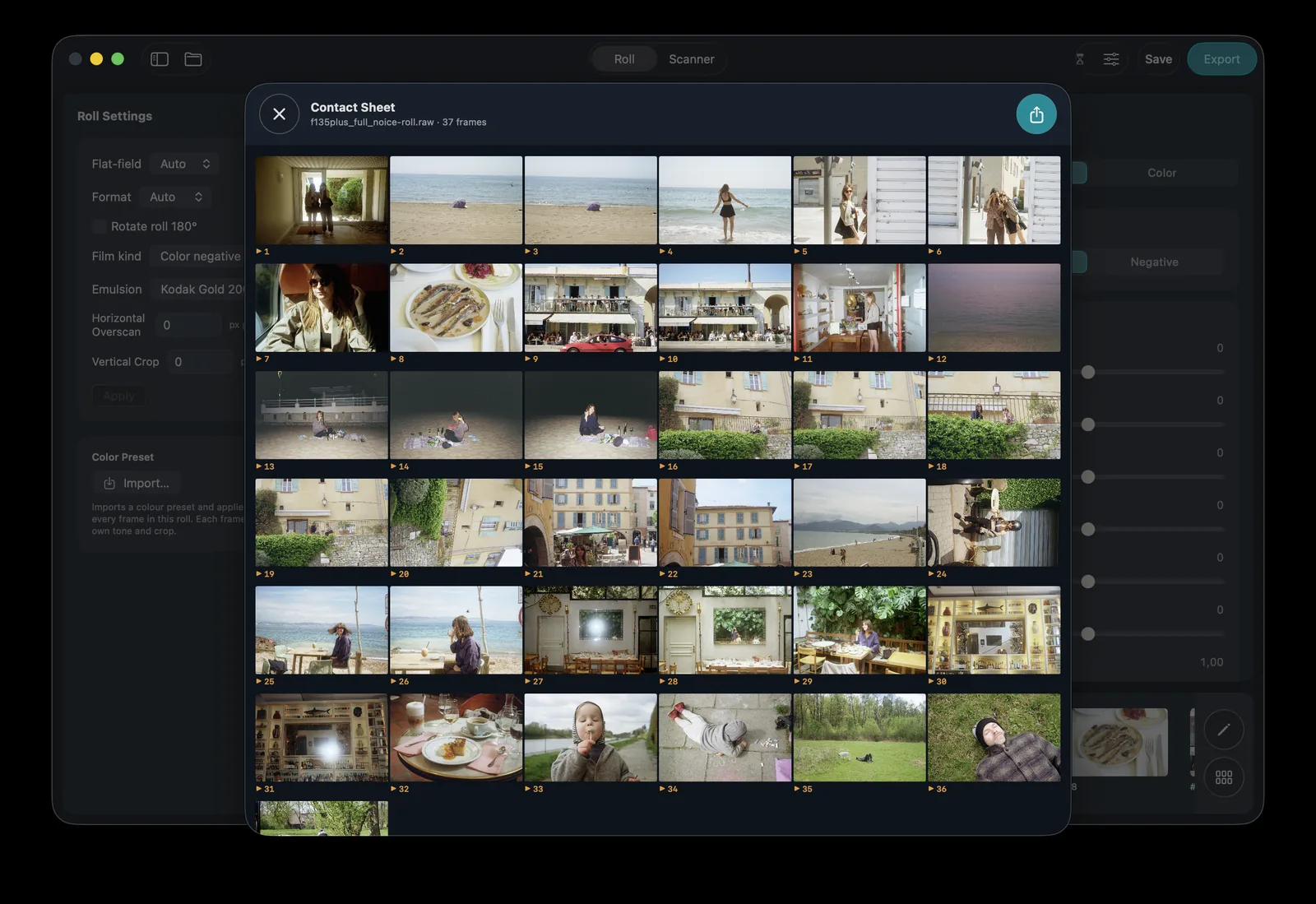
The roll
Every frame the scanner found, laid out on one contact sheet — skim the roll, compare frames side by side, and jump straight to the one you want to grade. Digital ICE has already cleaned the dust and scratches on the way in.
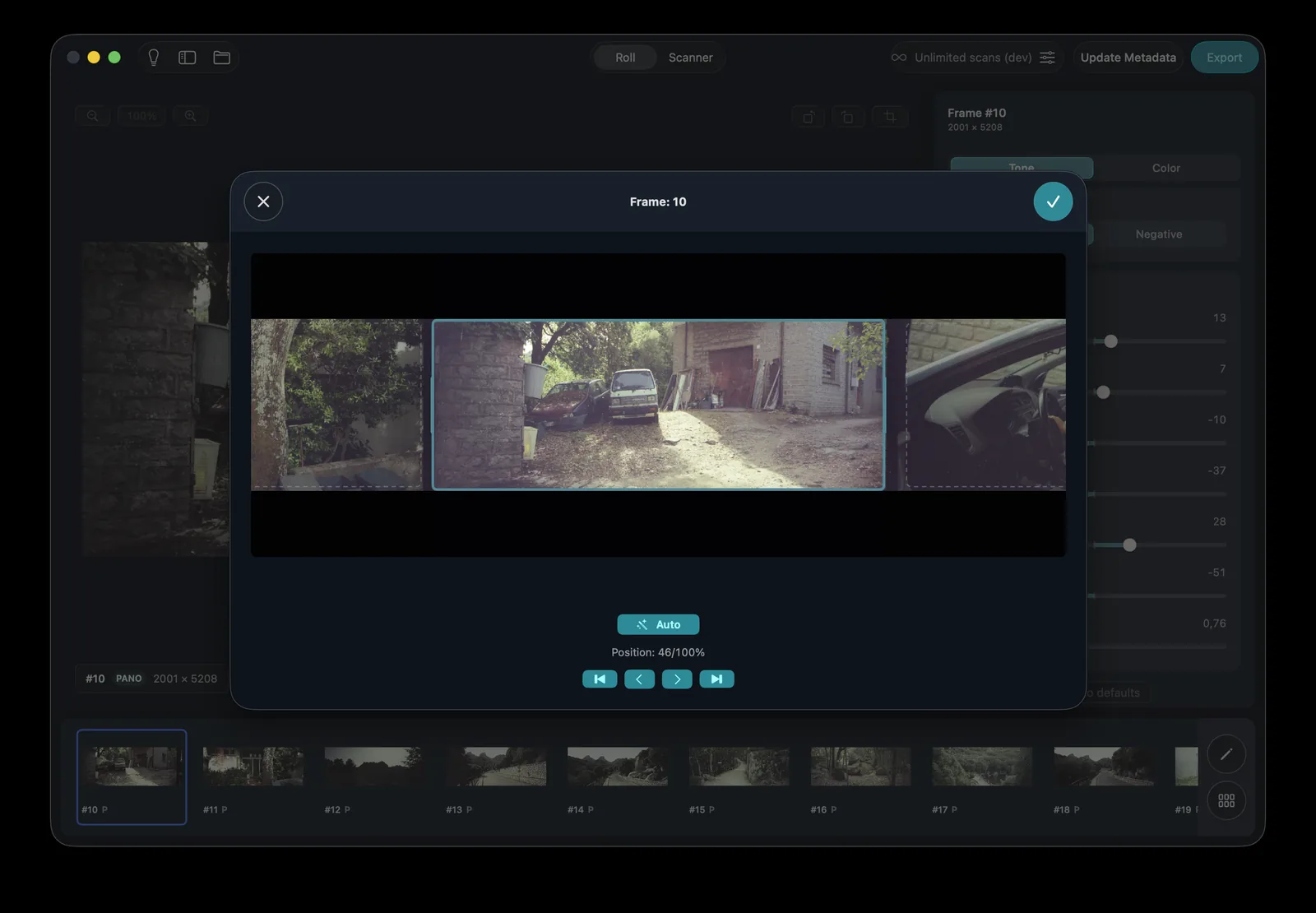
Framing
Full-frame, half-frame and XPan panoramas are detected and cut automatically. Misaligned rolls repair themselves with automatic line-phase correction — the whole roll lands square without a single manual crop.
Scanning
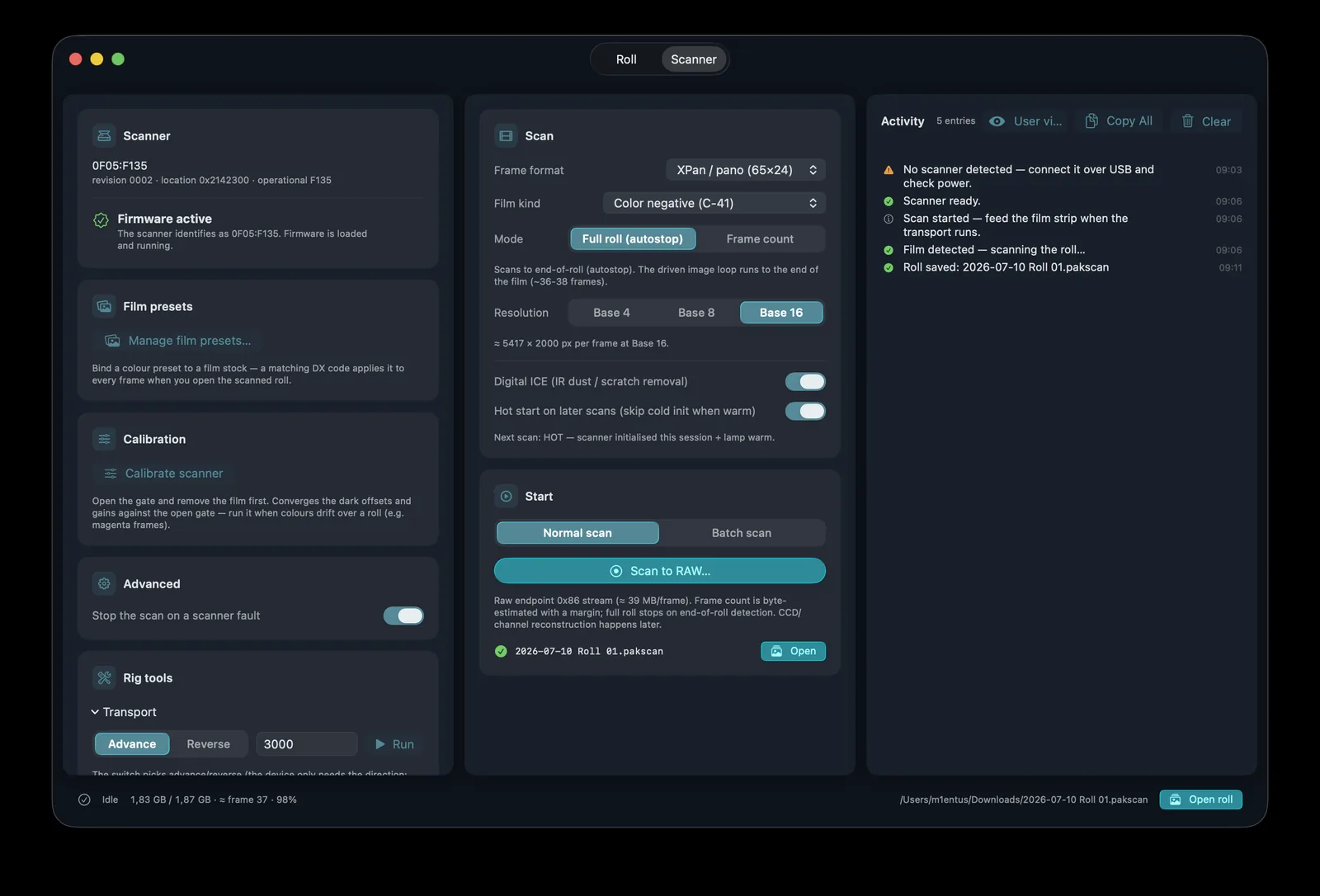
PakonScan speaks the scanner's native USB protocol — cold start, calibration and wind-out handled for you. After the first roll the lamp and transport stay warm, so every following roll starts about 22 seconds sooner. DX film codes are read straight off the edge barcode.
Everything it does
Everything the minilab did — and a few things it never could.
The OEM colour engine, rebuilt and frame-matched.
Infrared dust & scratch removal, detail-safe.
Reads the edge barcode and identifies the stock.
Full, half and XPan, cut automatically.
Misaligned rolls square themselves.
Even light edge to edge, no gate lip.
~22 s saved on every roll after the first. In Pakon Scan Lab.
The right chemistry for every roll.
Push colour exactly where the frame needs it.
What you approve is the file you get.
TIFF or JPEG, full-depth colour.
The whole roll, every frame, one window.
See exactly what the scanner is doing.
No drivers, no Windows XP, no virtual machine.
Built for M-series Macs, fully native.
Your film never leaves the Mac.
Roll to render
Feed the roll. PakonScan speaks the scanner's native USB protocol — cold start, calibration and wind-out handled for you.
The raw sensor ribbon is decoded, frames are found and cut, and dust is healed with the infrared channel.
Native Pakon colour by default, or your own look — every slider real-time, the preview identical to the export.
Pricing
Perpetual licence · all 1.x updates
$99 one-time
Everything in Standard, plus batch
$149 one-time
Own Standard? Upgrade to Lab from inside the app for $74.99. Digital ICE dust removal and DX decoding require a Pakon scanner with the infrared / barcode sensors.
Questions
One driver. No Windows.